
Reseller guides
How Many Items Should You List a Day on eBay? A Reseller’s Weekly Workflow

How many items should you list a day on eBay? eBay doesn’t set a number, and sellers who do this full time report anything from 10 to 60 a day. The honest answer: the number you can keep up every week without your pile of unlisted finds growing. Here’s how to pick that number, a simple weekly workflow that gets you there, and the habits that make listing faster.
Picking your daily number
Start from your time, not from someone else’s number:
- Time one listing. From picking the item up to hitting List: photos, title, item specifics, measurements, price. Most people land somewhere between 5 and 20 minutes, faster with practice and simple items, slower with clothing you measure or anything you research.
- Decide your listing time. Say one hour on weeknights, three on Saturday.
- Divide. At 12 minutes a listing, one hour is 5 items. Five weeknights plus a Saturday is about 40 a week.
- Check it against what you buy. If you bring home 50 items a week and list 40, the pile grows by 10 every week. Either list more or buy less until the two match.
As a rough guide: part-time sellers often aim for 5 to 10 a day, and full-time sellers commonly talk about 20 to 40 or more. Treat those as examples, not targets. A goal you hit every week beats a bigger one you give up on.
Why steady beats bursts
Many sellers notice their sales slow down a week or two after they stop listing. Whatever eBay’s search does behind the scenes, the reasons are practical:
- New listings get seen. Buyers who follow you, save searches or sort by newly listed see fresh items first.
- More listings, more sales. Most reselling businesses grow with the number of active listings. A steady trickle keeps that number climbing.
- Your money comes back sooner. Every item sitting unlisted is cash you can’t spend at the next sale.
- It’s easier on you. An hour a day feels like a routine. Ten hours on a Sunday feels like a chore you put off.
eBay’s limits for new sellers
If your account is new, eBay may cap how many items you can list and how much you can sell each month (often around 10 items or $500 to start, set account by account). The limits rise as you sell and ship on time, and eBay shows yours when you create a listing. Separately, most sellers get a number of free listings each month (no insertion fee); after that, each listing has a small fee. Check both in Seller Hub before you set a big goal.
The weekly workflow: source, log, prep, photo, list, ship
Every item goes through the same six steps. Listing goes faster when you do each step for a batch of items at once, instead of taking one item all the way through before starting the next.
- Source. Thrift stores, estate sales, garage sales, bulk lots. (See what to buy at thrift stores and estate sale and bulk lots.)
- Log it the same day. Before the bags hit the floor: give each item a SKU, write down what you paid and where you bought it, and put it in a bin. This takes a minute an item and saves you hunting later. (See how to create SKUs and storage bins and labels.)
- Prep. Wash, steam, clean, test, check for missing pieces. Anything that needs a repair goes to its own shelf, so it doesn’t block the items that are ready.
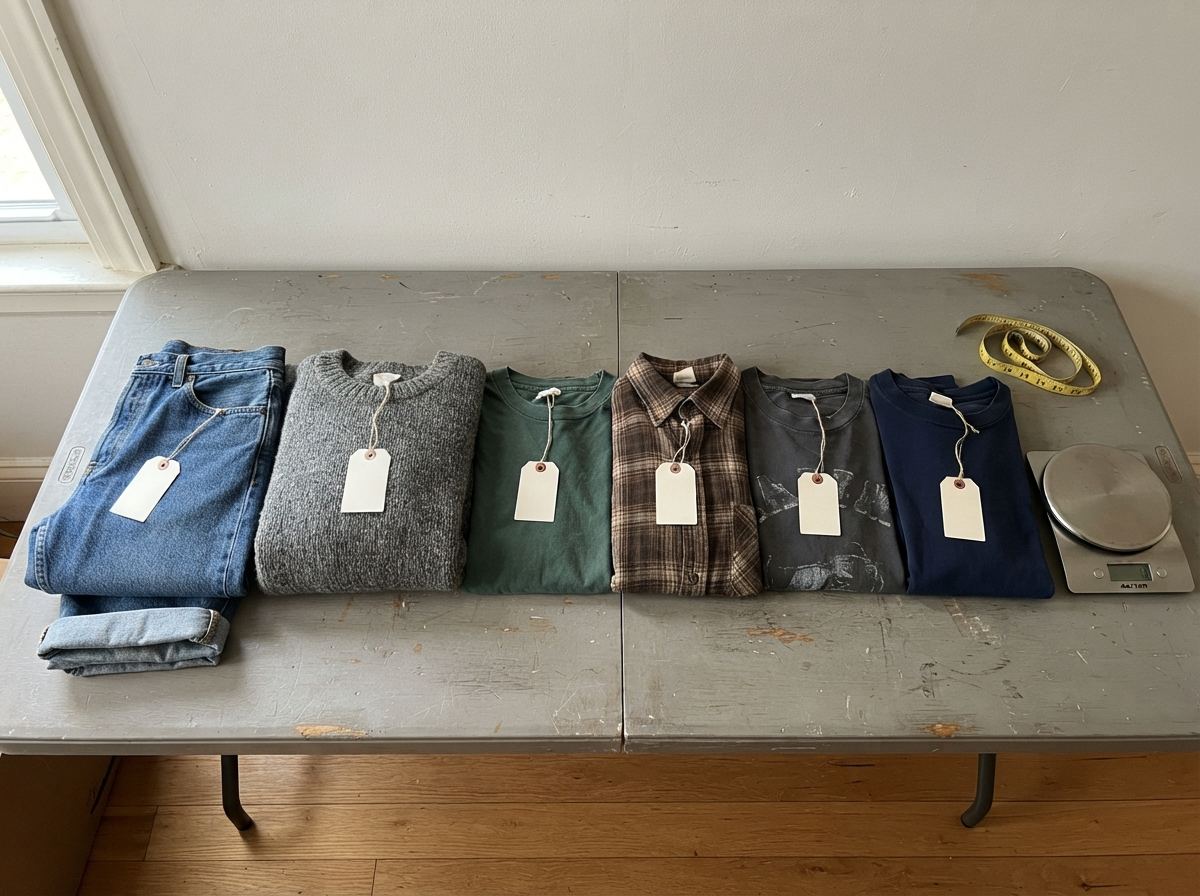
- Photograph in a batch. Set up once, shoot 10 or 20 items in a row. Measure and weigh each item while it’s in your hands, and note any flaws.
- List in a batch. Titles, item specifics, price, SKU in the Custom label. Oldest items first, so nothing sits for months.
- Ship every day you have sales. Fast shipping keeps your seller rating up. Pull by SKU and bin, pack, print, drop off.
Then once a week, review: how many you listed, how many sold, what’s been sitting longest, and what needs a price cut (see when to lower your price).
A sample week
Here’s one way a part-time seller with a day job might lay out a 40-item week. Move the days around to fit your life.
| Day | What happens | Listed |
|---|---|---|
| Monday | Ship weekend sales. Photograph 10 items. | 5 |
| Tuesday | Ship. List the items you photographed. | 5 |
| Wednesday | Ship. Photograph and list. | 5 |
| Thursday | Ship. Prep: wash, clean, test the week’s finds. | 5 |
| Friday | Ship. Thrift run after work; log the finds that night. | 0 |
| Saturday | Garage or estate sales in the morning; log them. Big photo and listing session. | 15 |
| Sunday | Weekly review: count, sort what’s sitting, plan price drops. Rest. | 5 |
A full-time seller runs the same steps, just with a bigger batch each day, and often splits the day: sourcing and shipping in the morning, photos and listing in the afternoon.
How to list faster on eBay
- Set up business policies once. Saved shipping, return and payment policies mean you pick them instead of filling them in every time.
- Use “Sell similar.” Listing a second pair of jeans? Start from the first listing and change what’s different.
- Keep a description template. A short, standard description with spots for condition, measurements and flaws. Most buyers read the photos, the title and the item specifics.
- Build a permanent photo spot. Same backdrop, same light, phone on a stand. No setting up, no packing away.
- Collect the facts at prep time. Measurements, weight, brand, size and flaws, written down while the item is in your hands, so listing is just typing.
- Draft the title when you log it. Even a rough “Vintage Pyrex mixing bowl blue 2.5 qt” saves research later.
- Price in batches. Look up sold comps for a stack of similar items at once, rather than one at a time between photos.
- Don’t chase perfect. A good, clear listing up today beats a perfect one next month. You can tweak it later.

Keep the pile from growing
Every reseller has a pile of things they meant to list, and it only grows if buying outpaces listing. A few habits keep it in check:
- List more than you buy. Count both each week. If buying wins two weeks running, skip a sourcing trip.
- Oldest first. List from the back of the pile, not just the fun new finds.
- Give stuck items a deadline. Anything that has needed a repair for a month gets fixed this week, or goes to the donate box.
More on this in what’s a death pile, and how to shrink it, and on writing off the things that never sell in dead inventory and how to write it off.
Tracking your pace, and how ReNventory helps
You can track your week with a notebook or spreadsheet: items bought, items listed, items sold. The point is to see the trend, not to be perfect. ReNventory does the counting for you:
- Log a find in seconds. Snap a photo (it reads the price tag) or scan the barcode, and the item gets a SKU, its cost and its bin, even with no signal.
- A title from the photo. Tap Renny, what is this? for a suggested title, category and details, so the title is drafted before you list.
- Needs work. Mark items that need cleaning, a repair or photos, so they wait on their own list instead of clogging your to-list pile.
- Listing mode. Your ready items one at a time, oldest first, with List on eBay and Next. Paste the SKU into the Custom label, and the item moves to Listed on its own once it’s live.
- Listing pace and goals. The Dashboard shows how many items you listed in the last 7 days and how many days an item typically waits. Set your own weekly goal and get a green check when you hit it. No streaks to keep up.
- Money waiting. See how much you paid for everything still unlisted, split by how long it’s been sitting.
Common mistakes
- Copying someone else’s number. A full-timer’s 40 a day will burn out someone with a day job.
- Buying more than you list. The pile grows quietly until it fills the garage.
- Doing one item at a time, start to finish. Switching between photos, research and typing for every item is slow.
- Skipping the log. Without a SKU, cost and bin at the start, you’ll search for items and guess at profit later.
- Listing only the easy items. The hard ones end up at the bottom of the pile for months.
- Falling behind on shipping. Listing more never makes up for late shipments and unhappy buyers.
Quick answers
How many items should I list on eBay per day?
As many as you can keep up every week. Part-time sellers often aim for 5 to 10 a day; full-time sellers often list 20 to 40 or more. Time a few listings, decide how many hours you have, and make sure you list at least as many items as you buy.
Does listing every day help sales on eBay?
Many sellers report that it does, and eBay doesn’t say either way. It helps for practical reasons anyway: fresh listings reach buyers sorting by newly listed, your number of active listings keeps growing, and your money comes back sooner.
How long does it take to list an item on eBay?
Usually 5 to 20 minutes, depending on the item and your setup. Batching steps, saved business policies and “Sell similar” bring it down a lot.
How many items can I list on eBay as a new seller?
New accounts often start with monthly selling limits, commonly around 10 items or $500, that rise as you sell and ship on time. eBay shows your current limits when you create a listing.
How ReNventory helps
- Log at the store. Photo or barcode, and every find gets a SKU, cost and bin.
- A to-list queue. Listing mode shows ready items oldest first.
- Your pace, counted. Items listed this week, days to list, and your own goals.
- Money waiting, visible. What’s sitting unlisted, and for how long.