
Reseller guides
Reseller Storage Ideas: Bins, Shelves and Barcode Labels That Find Any Item
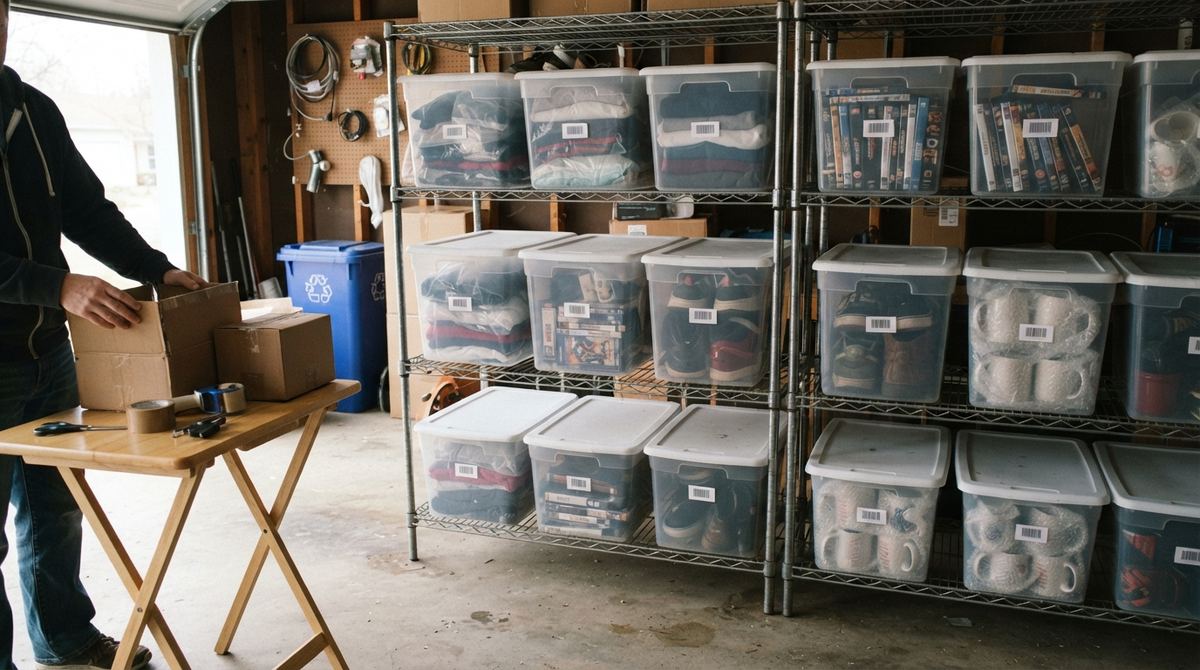
An item sells at 10 pm and you spend twenty minutes digging through three tubs to find it. Every reseller has been there. The best reseller storage ideas aren’t about fancy shelving; they’re about knowing, in a few seconds, exactly where each item lives. Here’s a simple system of bins, shelves and barcode labels that does that, whether you have one closet or a whole garage.
The one rule: the bin and the SKU are different things
A lot of resellers start by typing the bin into eBay’s Custom label: “B12” on every item in bin 12. It works for a while. Then bin 12 holds forty items that all share the same “SKU,” you move a sweater to bin 14 and the label is wrong, and nothing can tell one item from another.
Keep two separate pieces of information for every item:
- The SKU says which item it is. It’s unique, it never changes when the item moves, and it goes in the listing’s Custom label so a sale points back to that exact item.
- The location says where it is right now: the bin, shelf or rack. Many items share one location, and it can change any time you reshuffle.
Move an item, and you update one small field. The SKU, its cost and its sales history all stay put. (New to SKUs? Start with how to create SKUs for eBay.)
Bins, shelves, bags: what to use for what
There’s no single right setup. Match the container to the kind of stock:
- Clear lidded bins on wire or metal shelving: the workhorse. You can see inside without opening them, they stack, and one size on every shelf keeps everything tidy. Most resellers settle on one bin size and buy more of the same.
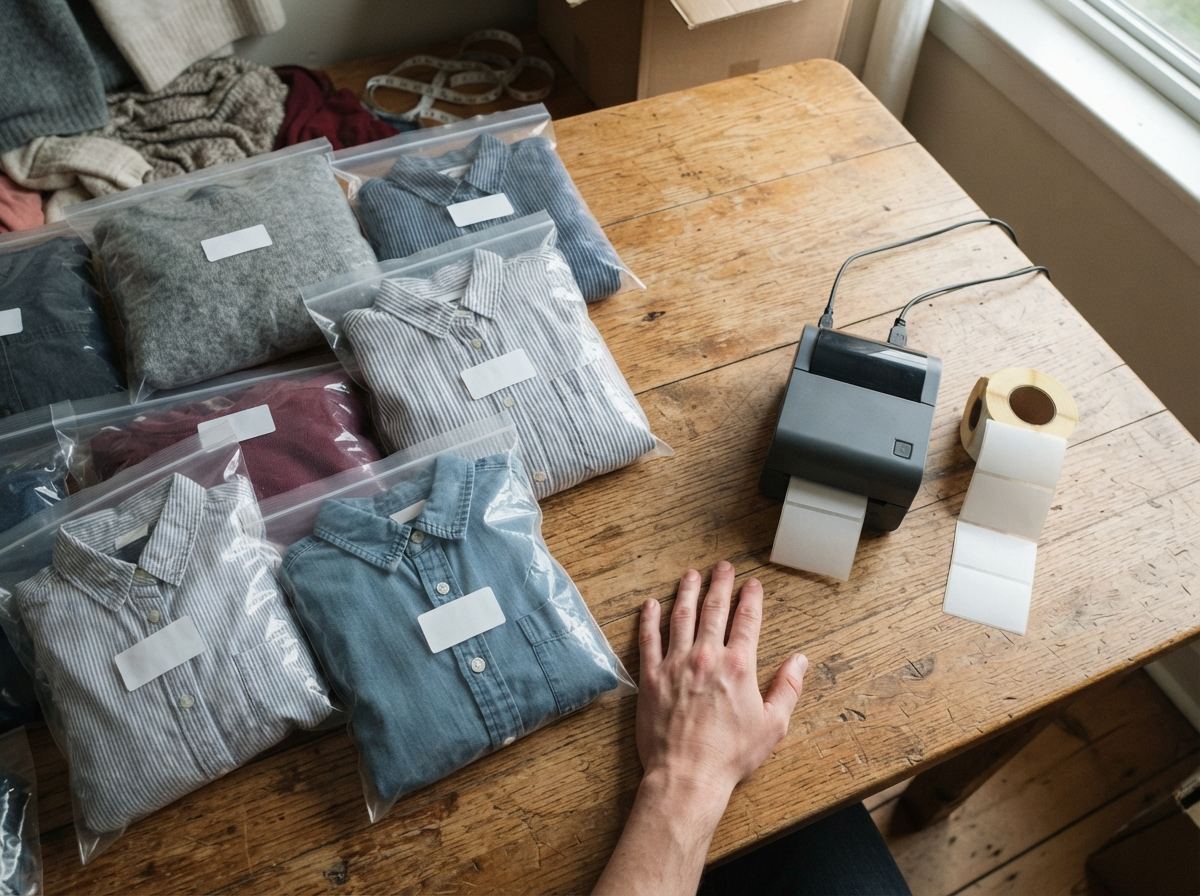
- Clear poly bags for clothing: fold each piece into its own bag, then into a bin. It keeps out dust and smells, and it’s where a small SKU label goes on items that look alike.
- Open shelves for boxed and bulky items: board games, small appliances and boxed toys can sit straight on a labeled shelf; put the label on the shelf edge.
- Garment racks for coats and anything that wrinkles, with each rack (or a section of it) named like a bin.
- Small drawers or a lockable box for jewelry, watches, cards and other small, valuable things.
Tip: garages and sheds get hot and damp. Keep media, electronics, vinyl and anything with glue or leather somewhere climate-controlled if you can. If your shelving is tall, anchor it to the wall; the Anchor It! campaign explains why.
How to name your bins
Short, boring names win. A few patterns that work:
- Shelf and position: A1, A2, A3 for the top row of shelf A, B1 for the next shelf, and so on. Easy to walk to.
- Just numbers: Bin 1 to Bin 60. Simple if your bins move around.
- Area plus number: GAR-03 for the garage, CL-01 for the closet, when stock lives in more than one room.
Pick one pattern and stick to it, and don’t name bins by what’s inside (“Shoes”). The day shoes overflow into another bin, the name stops helping. The category belongs on the item; the bin is just an address.
The clever part: bin labels you can scan
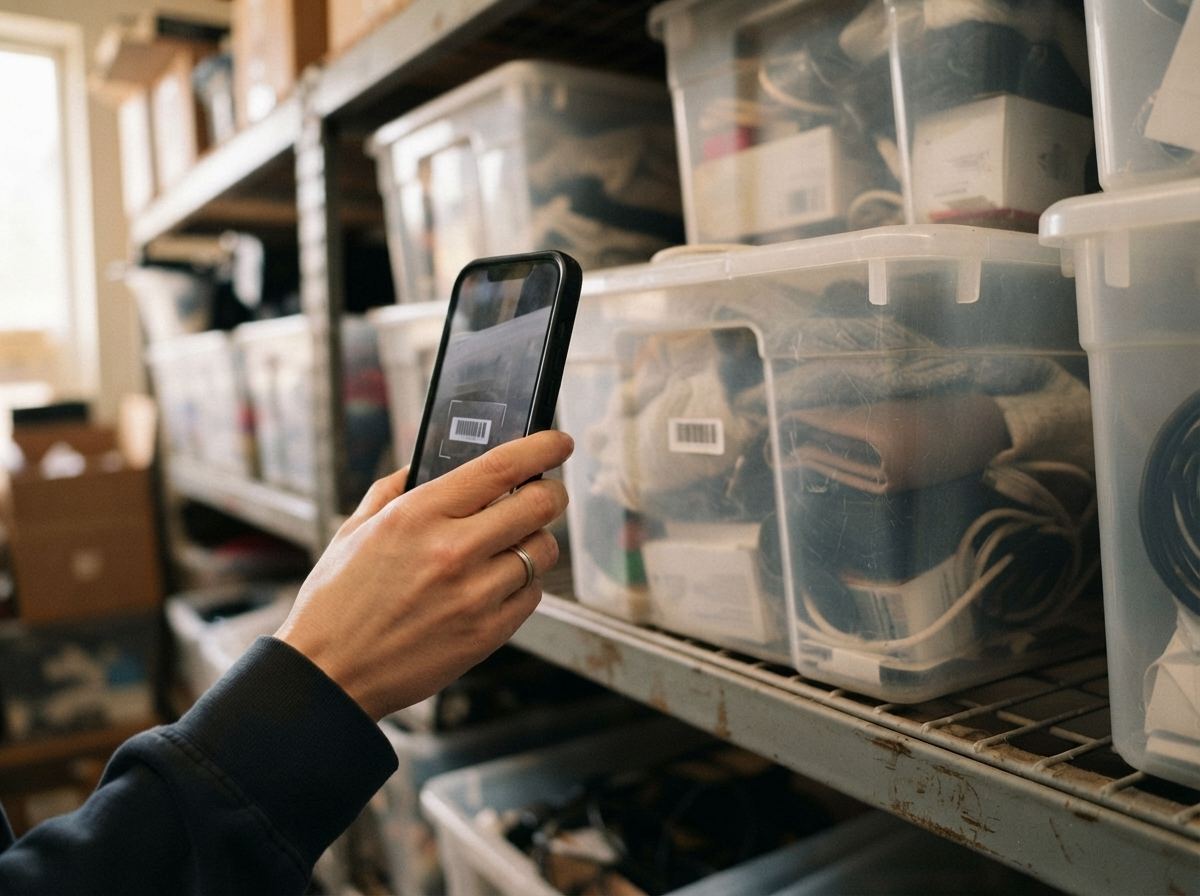
A bin with a name written in marker tells you where you are. A bin with a barcode label tells you what’s inside. Here’s how the scan-a-bin system works:
- Give every bin a name and print a label for it with a barcode.
- When you log a new find, type the bin it’s going into as its location.
- Later, point your phone at the bin’s label, and you see every item stored there: titles, photos, which ones are listed.
That one scan answers the questions that eat your time:
- “Where is it?” Search the item, see its bin, walk straight there.
- “What’s in here?” Scan the bin instead of unpacking it, handy when you’re choosing what to list next.
- “Is this bin right?” Scan it during a clean-out: anything on the list that isn’t in the bin has wandered, and anything in the bin that isn’t on the list needs logging.
Any label printer works, from a thermal printer to Avery address sheets on a regular printer. And you don’t have to label every item: label the bins, and add item labels only where things look alike, like clothing in bags.
How a SKU system keeps it all straight
Once location lives in its own field, the SKU is free to do its job: name one item, forever. A good SKU system can still help you organize, though, because the SKU can tell you what kind of item it is at a glance.
Plenty of stores run several SKU formats side by side, for example:
- DVD_0200 for movies and SHOE-0042 for shoes: a prefix per category, each with its own counter.
- 1043, a plain number left over from before you had a system. There’s no need to redo hundreds of old items; let the old format and the new ones live together.
Whatever the format, keep SKUs to letters, numbers, dashes and underscores so every marketplace accepts them. Our free eBay SKU generator lets you try formats before you commit.
Changing a SKU later is fine if your system keeps a record of the old one. The item’s cost and history should stay with it, a search for the old SKU should still find it, and the old SKU should never be handed to another item. If the item is already listed, update the Custom label on eBay too, so the listing still points to the right item.
How to organize eBay inventory, step by step
- Pick a spot and set up shelving. Start with one unit; add more of the same kind as you grow.
- Buy one bin size that fits your shelves, and a pack of poly bags if you sell clothing.
- Name every bin and shelf with one short pattern, and label them.
- Log each find as it comes in: SKU, cost, photo and the bin it goes into. Do it before it goes on the shelf.
- Put the SKU in the Custom label when you list, so sales point to the right item.
- Update the location when you move something. It takes five seconds, and it’s the step people skip.
- Pull sold items by bin. Sort the day’s orders by location, walk the shelves once, and pack.
- Check one bin a week. Scan it, compare, fix what drifted. Stale items you find are candidates for a price drop, or for the death pile if they were never listed.
Doing it in ReNventory
ReNventory was built around this exact split: a SKU that names the item, and a storage location that says where it is.
- Location as you log. When you log a find on your phone, fill in its Storage location (the bin or shelf). Tap the box to pick from bins you’ve used before, so “Bin A1” is always spelled the same. It works with no signal.
- Print bin labels. On the website, open Inventory › Print labels › Bin labels, tick your bins and print. Each label shows the bin name large with a barcode. Labels never show cost or price.
- Scan a bin. Turn on Settings › Labels in the app, then on the Inventory tab tap Scan a Bin Label. Point at a bin label and you see everything stored in that bin; point at an item label and that item opens. Scanning works offline.
- Find by location. Filter your inventory by location, or make your own tab for a bin or shelf.
- Several SKU formats. Add formats like DVD_#### and SHOE-#### in Settings › SKU formats, each with its own counter, and match each to a category so the right one is picked for you as you log.
- Change SKU, history kept. Open an item and tap Change SKU. The old SKU stays in the item’s History, search still finds it, and it’s never reused. If the item is listed on eBay, ReNventory offers to update the listing’s Custom label for you (single listings).
- Bring old bins with you. Kept bins in a spreadsheet? Update from spreadsheet fills in locations for many items at once. Used bin codes as eBay Custom labels? When you import, a code shared by several listings moves into the storage location and each item gets its own SKU.
Common mistakes
- Using the bin as the SKU. Forty items can’t share one SKU and still be told apart.
- Naming bins by category. Contents change; addresses shouldn’t.
- Moving items without updating the location. The system is only as good as the last move you recorded.
- A “to be sorted” pile that never gets sorted. Give it a bin name so those items are logged too.
- Mixing bin sizes. Odd sizes waste shelf space and topple stacks.
- Labeling only in marker. Fine for a start, but a scannable label tells you what’s inside, not just where you are.
Quick answers
What’s the best storage for a reseller with a small space?
One sturdy shelving unit with matching clear bins, plus poly bags for clothing. Go up, not out, and use the closet or under-bed space for one category. A small space with good labels beats a big garage with none.
Should I put the bin location in eBay’s Custom label?
Better not to. The Custom label is the one place that ties a listing to one exact item, so it should hold a unique SKU. Keep the bin in your own inventory records, where you can change it any time without touching the listing.
How do I keep track of eBay inventory?
Give each item a unique SKU, record its cost and location when you buy it, and put the SKU in the listing. Then a sale tells you the item, the item tells you the bin, and your cost is already there at tax time (see tracking cost of goods sold).
Do I need to label every item?
No. Label every bin and shelf. Add item labels only where items look alike, like folded clothing in bags or a run of similar DVDs.
How ReNventory helps
- Bins that answer back. Print a barcode label for each bin from the website, scan it with the phone, and see everything stored inside.
- A location on every find. Add the bin as you log, pick from bins you’ve used before, and filter by it later, even offline.
- SKUs your way. Several formats in one store, matched to categories, with every SKU unique and eBay-safe.
- Change a SKU safely. Old SKUs stay in the item’s history, and ReNventory can update the eBay Custom label to match.